Day by day, it counts how many days are left until you swap each lens, left and right, and reminds you the day before or on swap day.
In development
Swap Tag
We'll keep track of your lens replacement days and wear time
- No account
- Stays on this device
- Ads included
You can get it from this page after release.
Why the name Swap Tag?
Nothing on your lenses tells you when you opened them or what time you put them in today. The name comes from the little tag you might stick on your lens case with those two things jotted down.
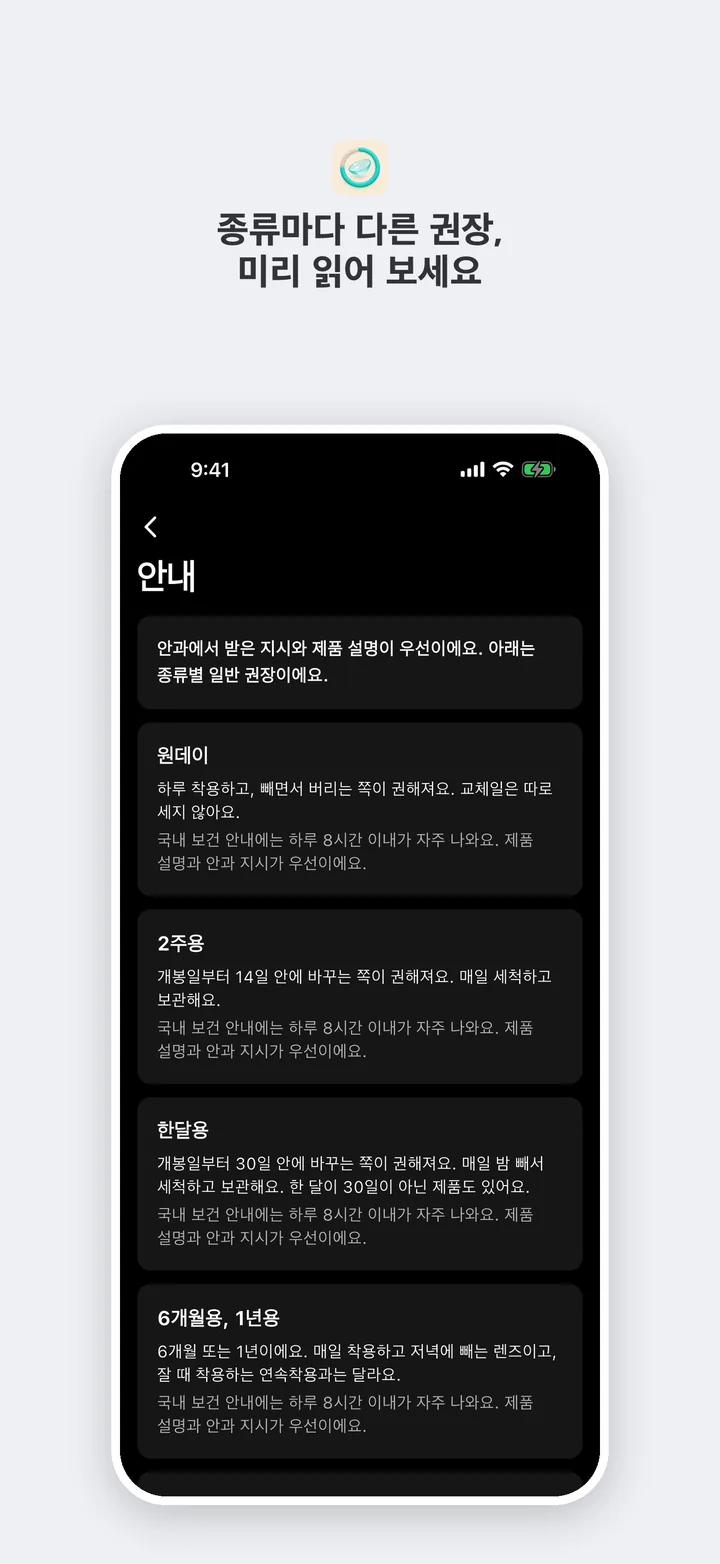
Like a tag on your case, it holds each lens's type and open date, plus how many hours you've worn them today. 1-day, 2-week, monthly, colored (cosmetic), and hard (RGP) lenses all work.
It's not a shop. Just look after today's lenses, the easy way.
How it works
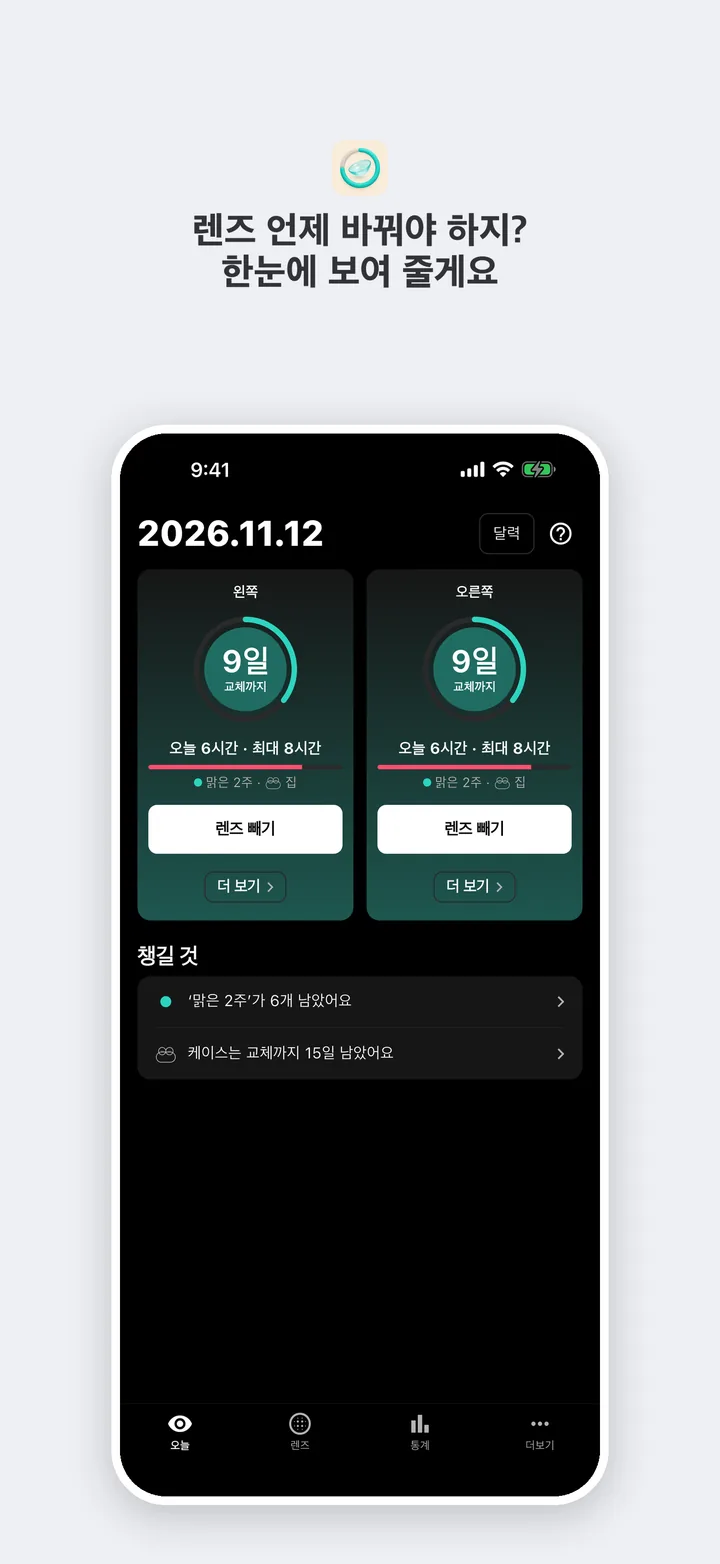
Keep forgetting when you opened your lenses or what time you put them in today? Give Swap Tag a try. Add a lens once with its type and open date, and the Today tab shows the days left until replacement for each eye, left and right. Tap “Put in” when you put your lenses in, and you'll see how many hours you've worn them today next to the suggested max. When you reach it, Swap Tag lets you know. You can also get a reminder the day before or on replacement day. Note the replacement days for your lens case and solution, how many lenses are left, and the power and prescription expiration date from your eye care professional, too. No account needed, and your records stay only on this device. When you switch phones, export your records to a file from More, then import it on the new phone to pick up right where you left off.
Features
👁️
Left and right
Each eye gets its own lens and its own count of days left until replacement. On replacement day, just tap “Open a new one of the same” once.
⏱️
Today's wear time
Just tap “Put in” when you put your lenses in and “Take out” when you take them out. You'll see how many hours you've worn them today, next to the suggested max.
🧴
Lens case and solution
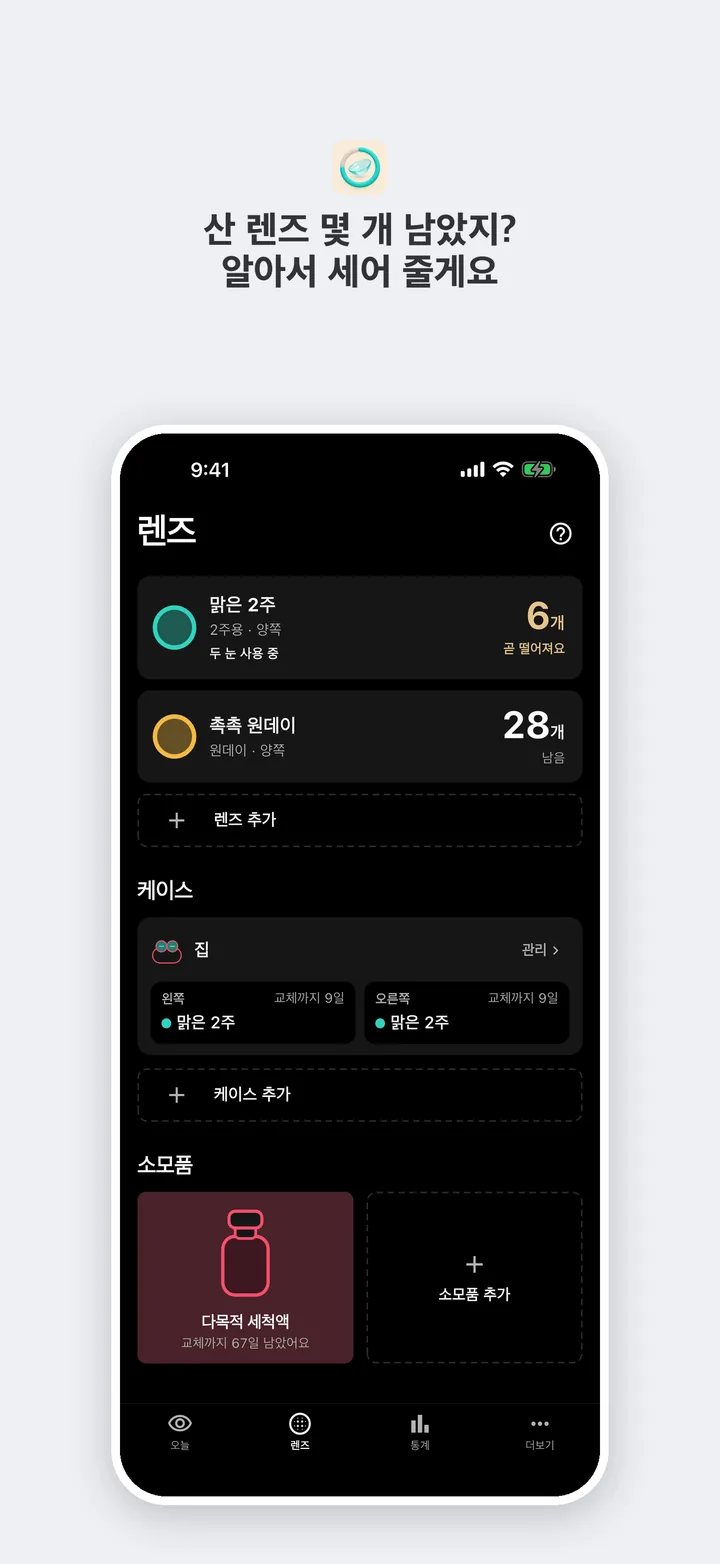
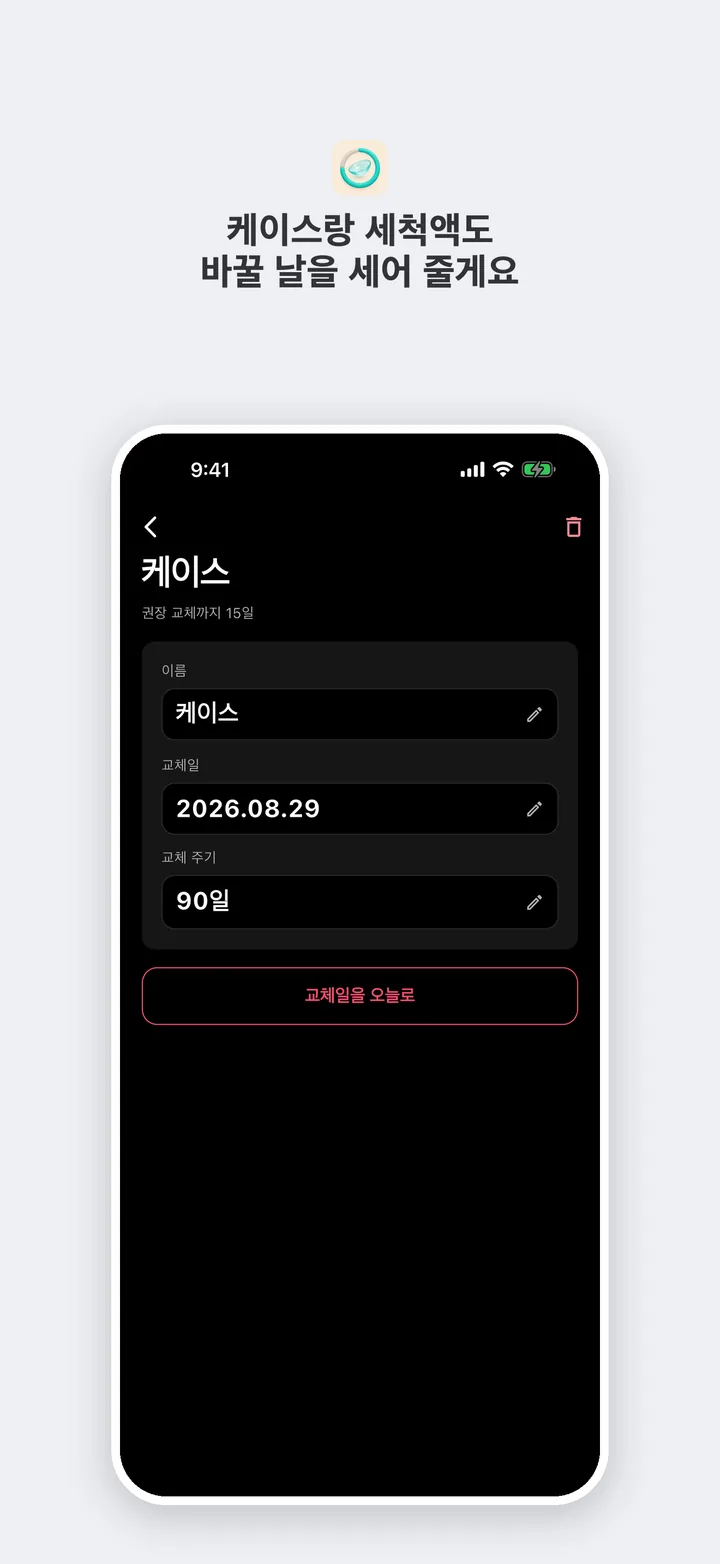
Swap Tag counts your lens case's replacement day for you. For solution, saline, and eye drops, note the open date and replacement schedule.
📋
Prescription
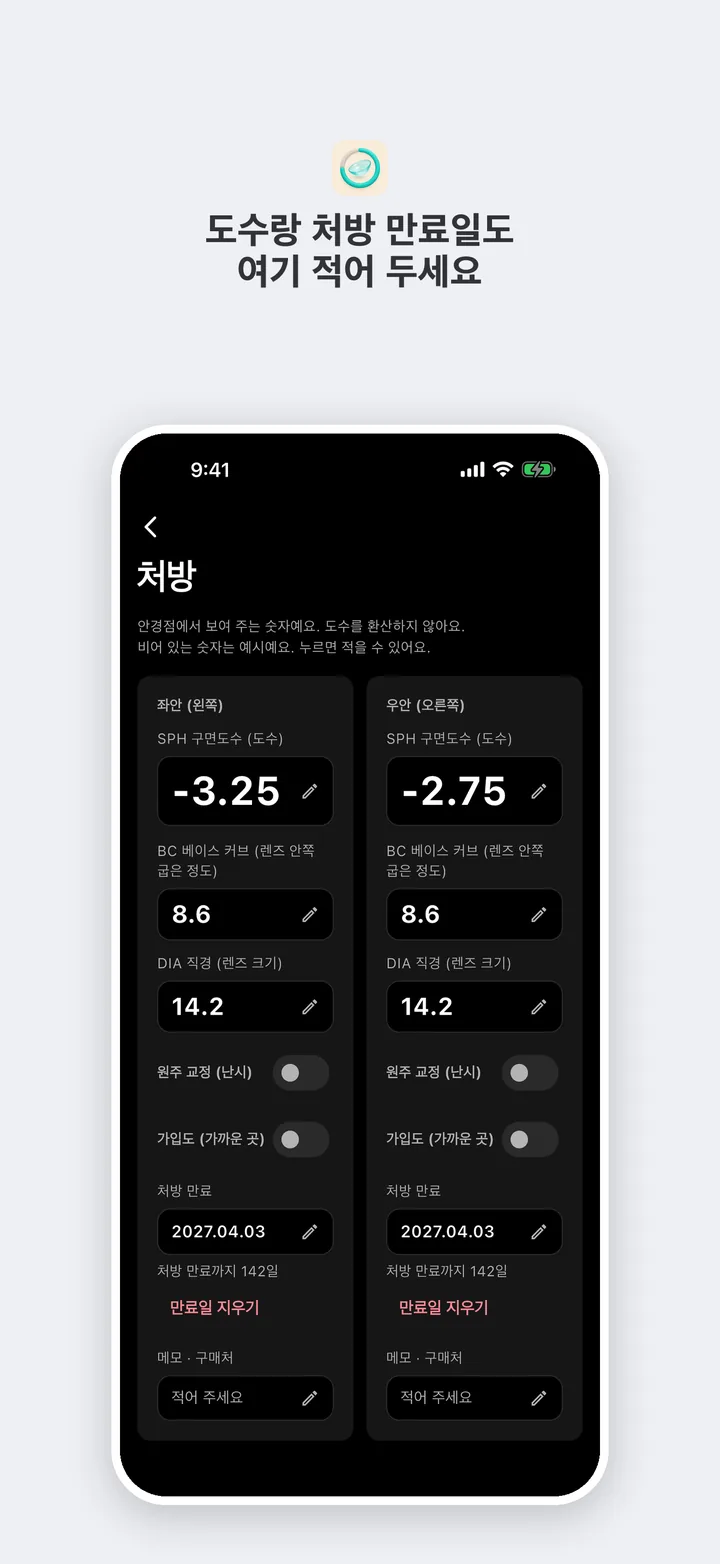
Note the power, base curve, diameter, and astigmatism your eye care professional gave you, along with the prescription expiration date and where you buy lenses, for your left and right eye. You can pull it up right away when you buy lenses.
🔔
Reminders for replacement and wear time
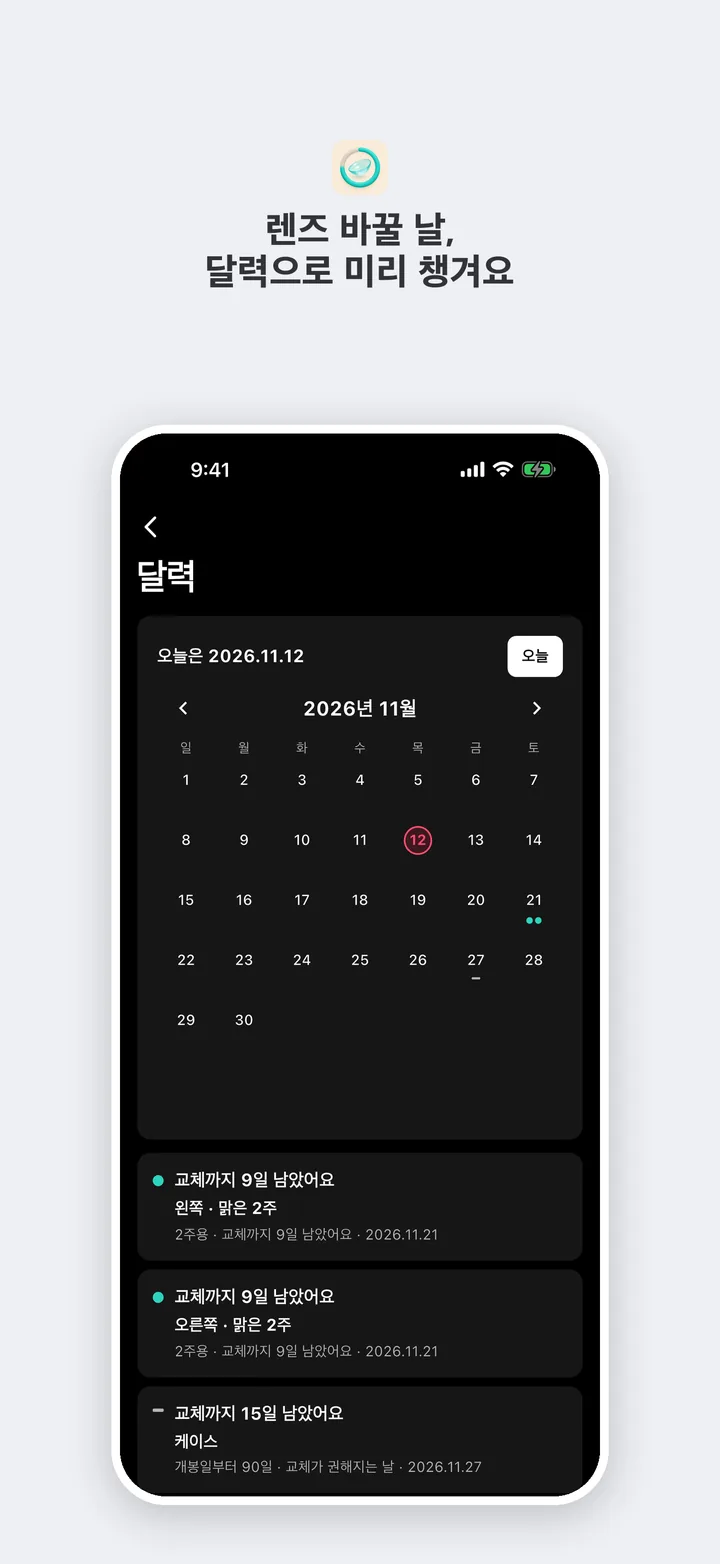
Get a reminder the day before or on replacement day, at the time you set. You'll also hear from Swap Tag when today's wear reaches the suggested max. Reminders go off on this device.
📦
Lenses left
Swap Tag counts how many lenses are left in the box. The count goes down by one each time you switch to a new lens, and you'll get a heads-up when you're running low.
📊
Stats and reviews
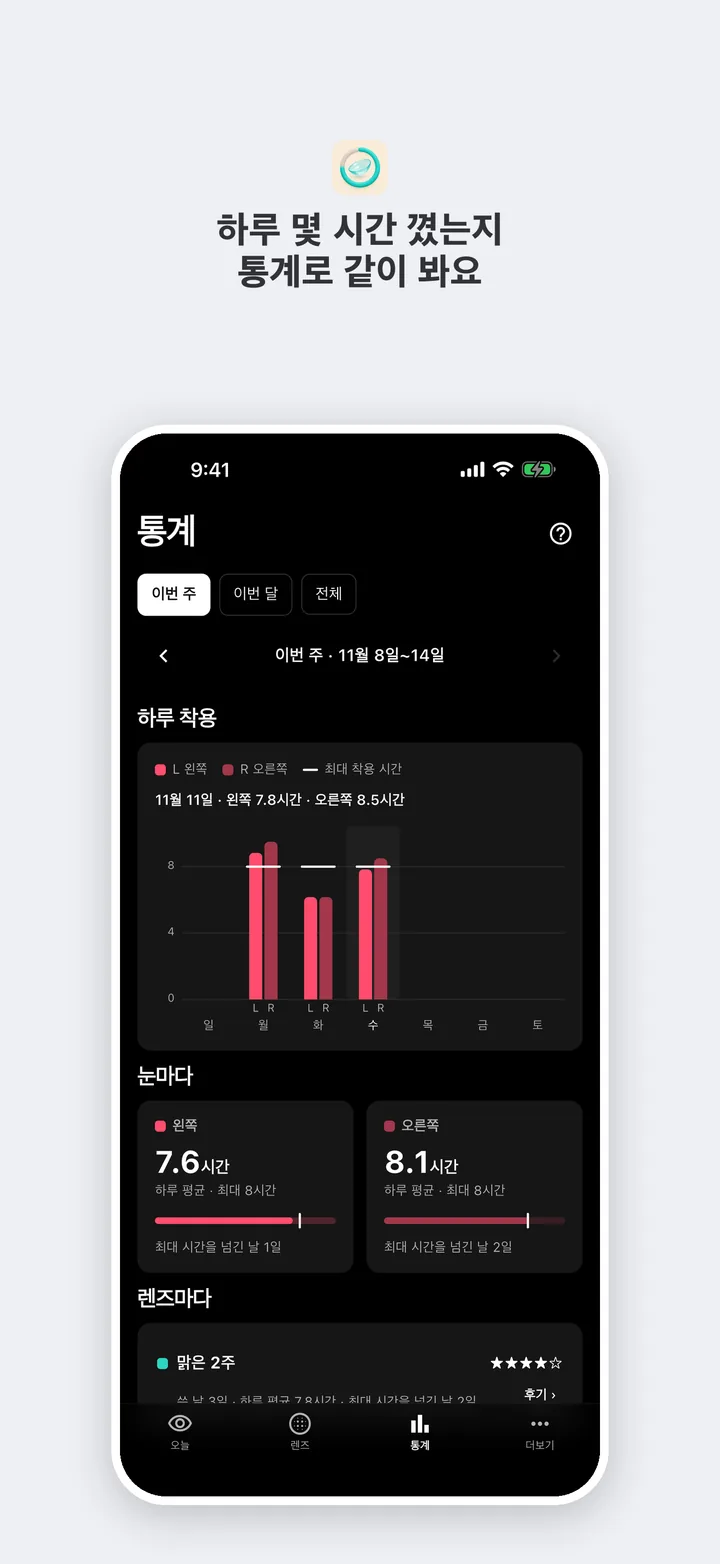
See wear per day and replacements for this week, this month, or all time. Try leaving a star rating and a short review for lenses you've used.
📱
Widgets & Siri
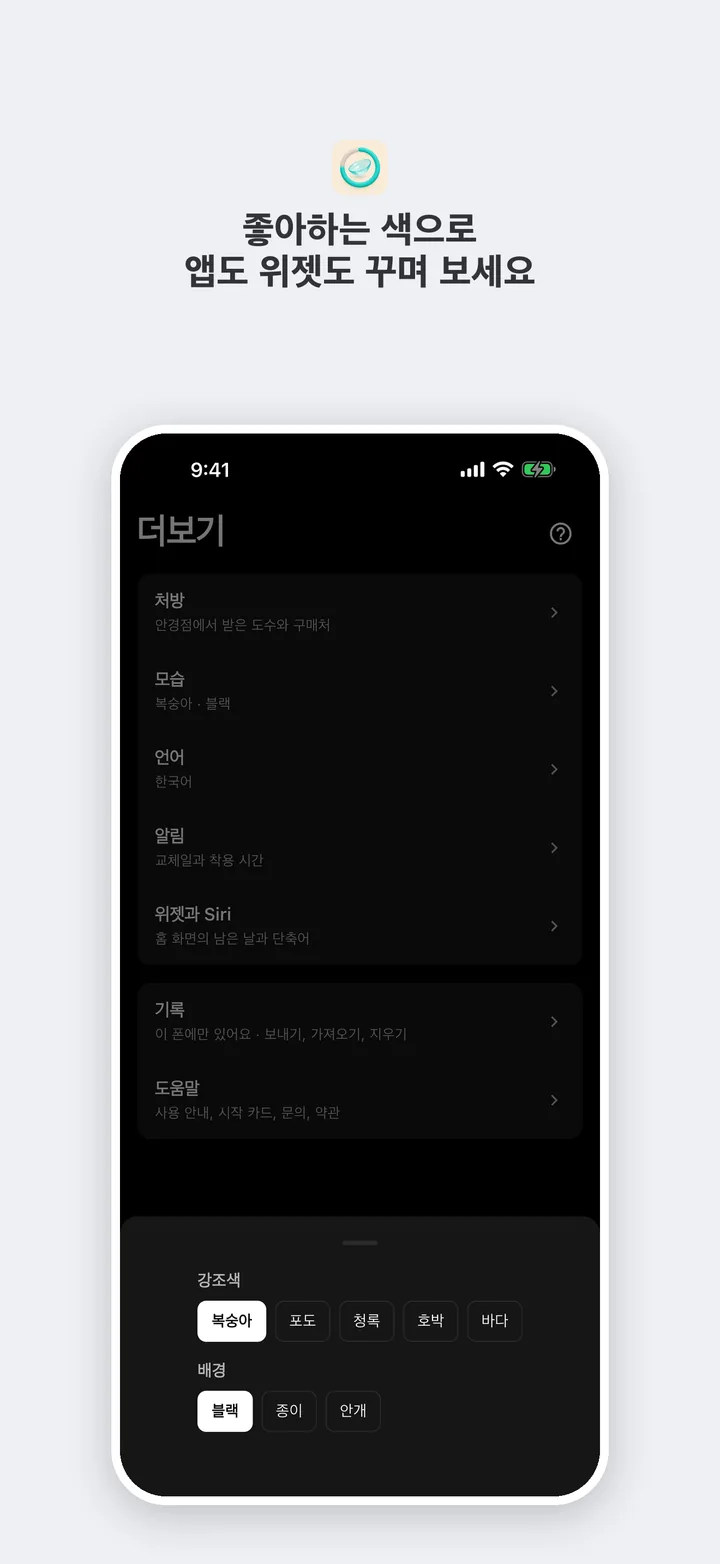
Put a widget on your Home Screen to see the days left until your next replacement and a calendar at a glance. On iPhone, ask Siri how many days are left.
🔒
Stays on this device
Try it right away, no account needed. Lenses, wear records, power, and notes stay in this device's secure storage and are not sent to a server.
Get Swap Tag
You can get it from this page after release.